
Building a Milky Way Calendar, with Claude
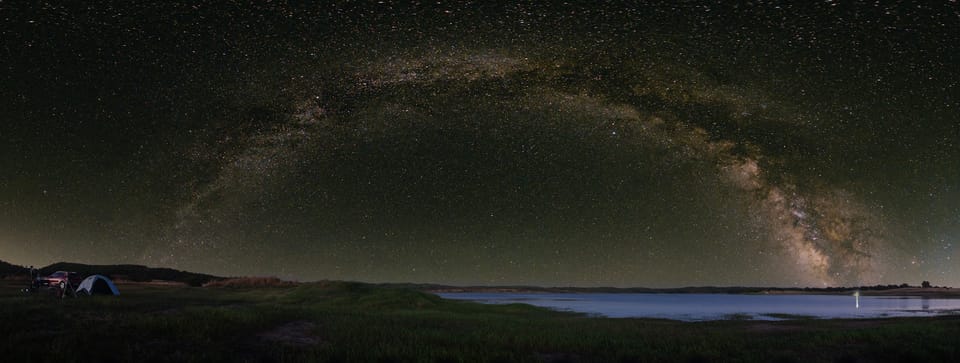
Planning a Milky Way shoot comes down to a handful of variables arriving at once: the Galactic Centre needs to be above the horizon, the moon needs to be out of the way, and ideally there's a decent window between those two things and the start of morning twilight. Get all three right and you have a good night. Miss any of them and you're either shooting a washed-out mess, or you've dragged yourself and your gear out to a location for a shoot that was never worth it.
I'd been planning my outings using information from a couple of places. The Capture the Atlas Milky Way calendar is a popular resource, well-made and genuinely useful, but it's a PDF that only shows broad weekly windows for specific regions, so some guesswork is still required. Photopills has everything I need and more, but it's a full production planning tool, dense with features I don't always need. Trying to find the best time to capture the Milky Way in it feels like using a spreadsheet to answer a yes-or-no question.
So I built something.
The build
I have a front-end background, and while I know my way around a dark sky, the maths behind when the Galactic Centre rises and sets for a given location on a given night isn't something I'd know how to code from scratch. That's actual orbital mechanics. So I used Claude Code as my collaborator, and described what I wanted, explained what wasn't working for me, then it wrote the code. It found an astronomy library that handles the hard calculations, and I provided the product direction and visual requirements.
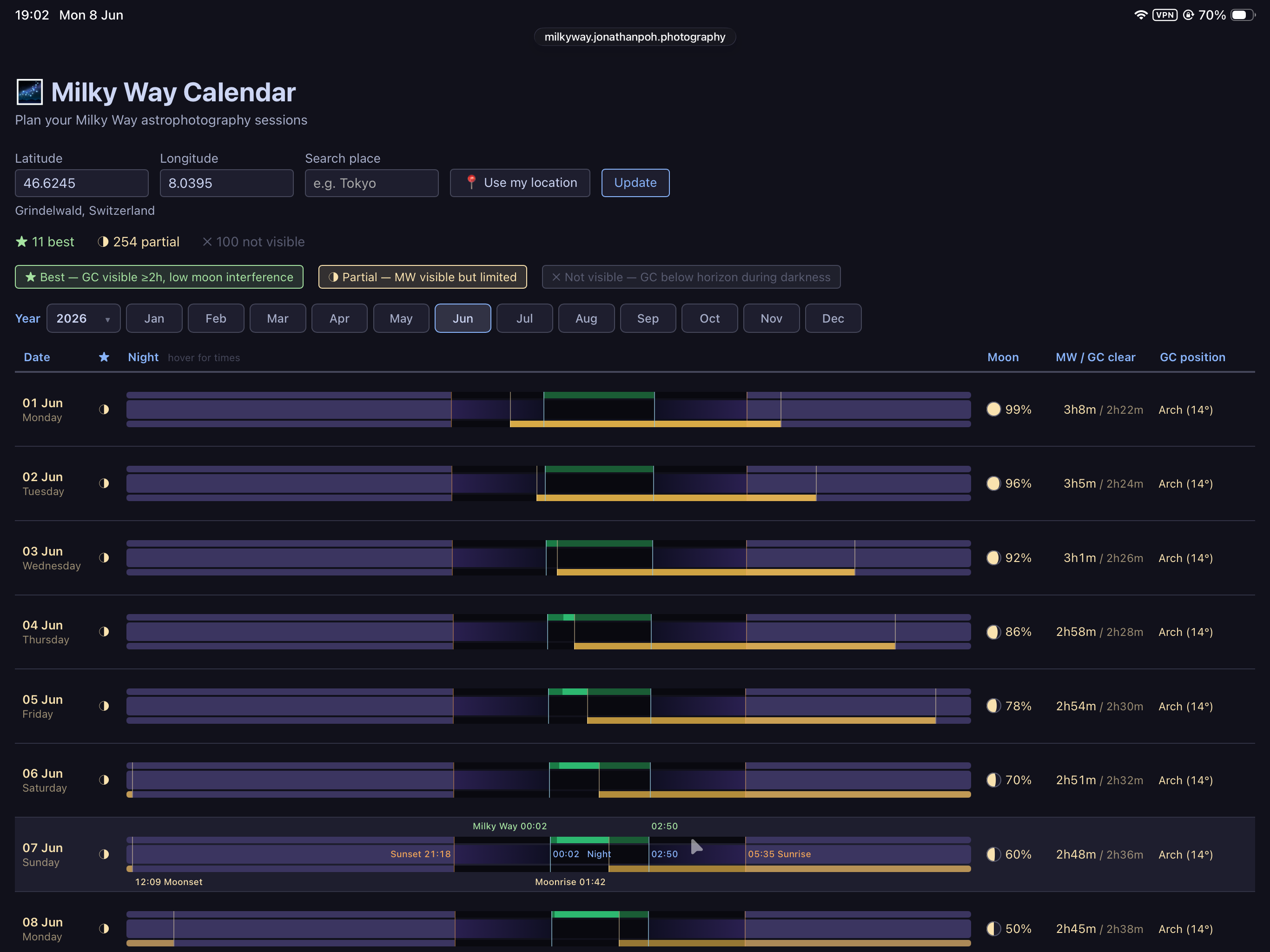
The first working version came together faster than I expected. Way faster. But “working” and “good” turned out to be meaningfully different things. The first iteration was technically correct but still pretty rough: the timing bars existed, the colour coding existed, but the overall picture was hard to parse at a glance. That part took real iteration to sort out: adjusting the layout of the time bars, getting the colour coding to actually communicate something useful, adding on-hover tooltips that showed the exact times. I spent the better part of a day on this, and then followed up with a handful of tweaks and bug fixes after that.
What struck me about the process is how my role shifted. Previously I was the one writing the front-end code; this time I was acting more like a product manager, defining the spec, making calls on features and trade-offs, deciding what was worth having and what wasn't. Once Claude came back with the finished code, I'd switch into something closer to acceptance testing: reviewing the output, checking failure states, looking for things that hadn't been covered. It's not passive work; I still had to think carefully. But the thinking is different. Less of “how do I build this” and more “is this actually what I asked for, and does it hold up.” A lot of the work was in the steering, not the typing of code.
It's built with Svelte and TypeScript, and does all its calculations in the browser. I deployed it on Cloudflare Pages, which is free and more than enough for a static site like this. No backend, no user accounts, no data leaving your device.
How it works
Enter your coordinates, search by place name, or hit Use my location and it'll sort itself out. You get a full month, one row per night. The coloured bar spans the hours of darkness: green where the Galactic Centre is up for a good long window with low moon interference, amber where it's visible but the moon is making things difficult, and dark where it's below the horizon or the moon is washing it out. The right-hand columns give you moon illumination, the total clear window, and the GC's position in the sky for that night.
It's designed to answer the question “which nights are actually worth going out for” at a glance, whether you're planning a shoot months ahead or checking conditions on the day. This would be invaluable as we head into Milky Way season here in the Northern Hemisphere.
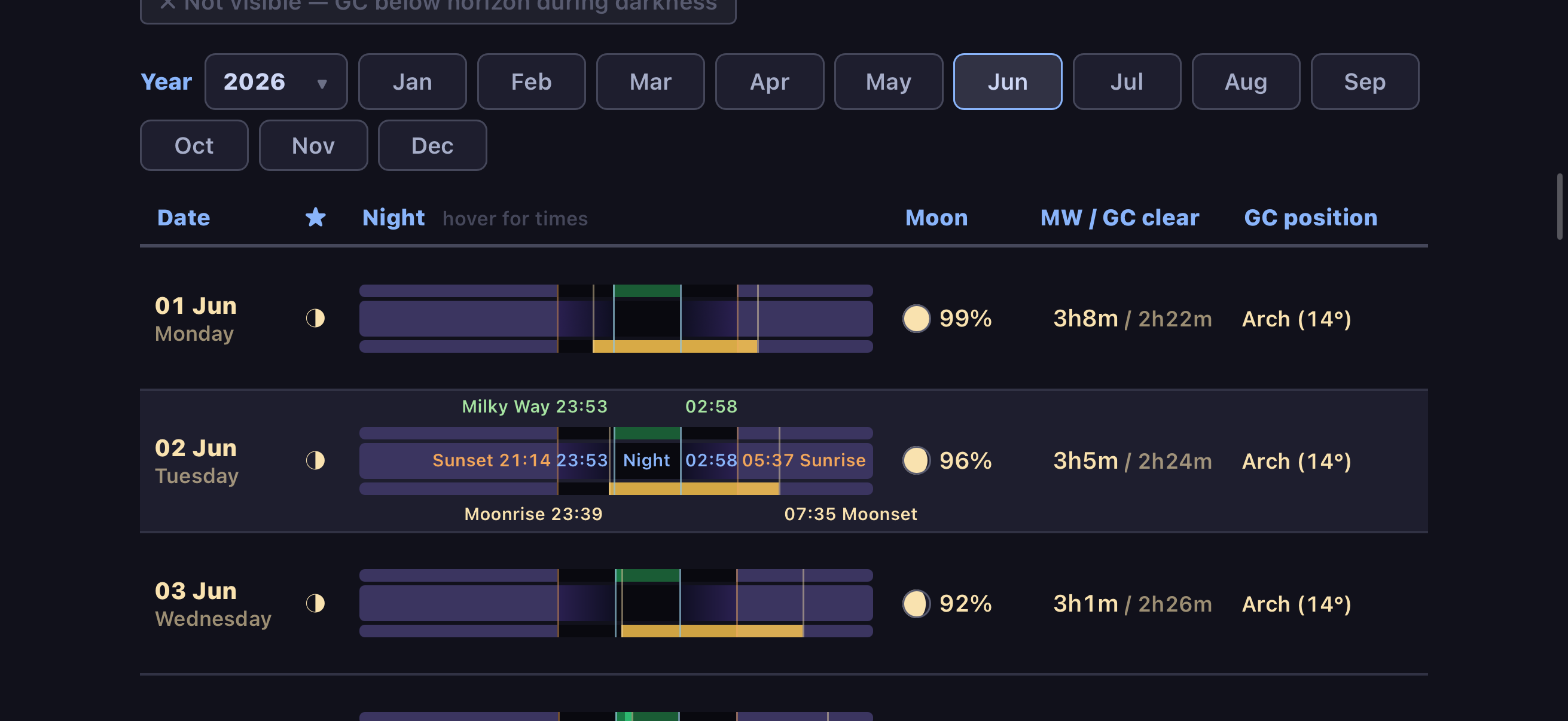
Mobile was a deliberate requirement from the start. I wanted something I could check in the field without having to go hunting in a more complicated app. The layout adapts properly to smaller screens, which took a bit of work but I think it was worth it.
The tool is free at milkyway.jonathanpoh.photography. Milky Way season is well underway in the northern hemisphere right now, so hopefully the timing is useful. If something looks wrong or a bug turns up, please send me a message, I'd genuinely like to know.